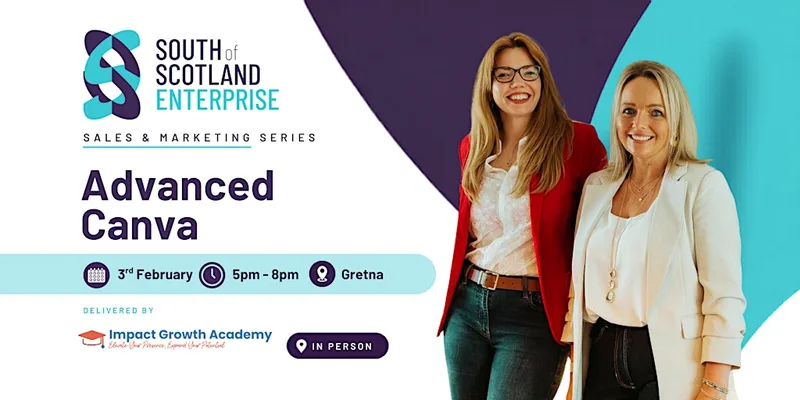
Advanced Canva - for Marketing Assets and Reels: Build. Brand. Batch.
Wed 3 Feb · 17:00
Smiths at Gretna Green Hotel
Venue events →
Ask AI: is it for me?
Similar events
View allAbout This Event
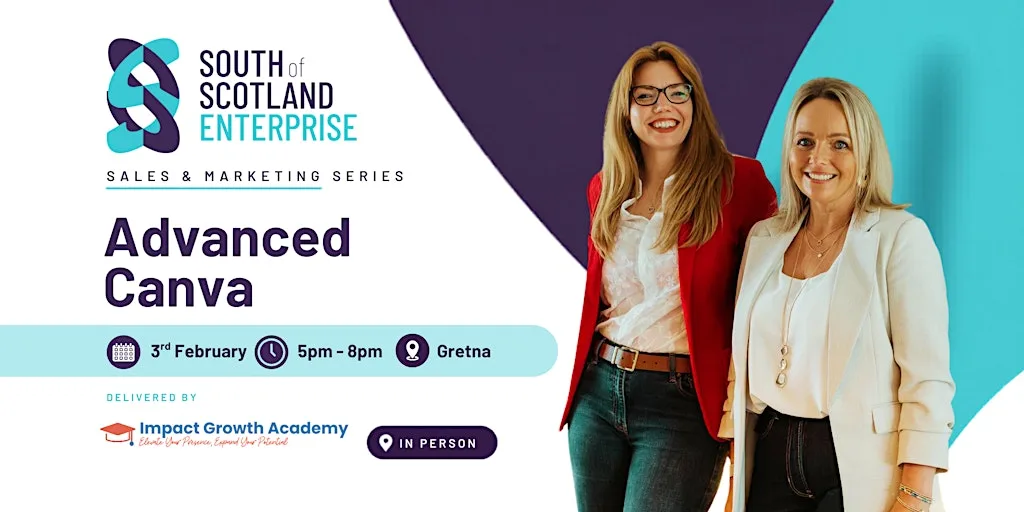
Advanced Canva - for Marketing Assets and Reels: Build. Brand. Batch. will be conducted at Smiths at Gretna Green Hotel on 3 February 2027. This community event focuses on enhancing Canva skills and is free to attend.
Take your Canva skills further. Create branded assets, short-form video and a content system that saves you hours.
This event is for pre-start and early-stage business owners in the South of Scotland who are already using Canva regularly and want to go further — particularly those who feel their content looks inconsistent, who are spending too much time creating designs from scratch, or who want to start creating short-form video and reels but don't know where to begin.
To get the most from this session, attendees should:
· Be using Canva already — this is not a beginners' session
· Have attended an Introduction to Canva session, or be confident navigating the editor, using templates and setting up a basic Brand Kit
· Ideally have a Canva Pro account — several of the tools covered, including AI features, content scheduling, bulk create and the full Brand Kit, are Pro-only. Attendees on a free account are still welcome but will have limited access to some exercises. A Pro account costs approximately £100 per year and is available as a free trial.
Advanced Canva for Marketing Assets and Reels is a hands-on, practical workshop for small business owners who are already using Canva and want to use it properly — faster, more consistently and with far more impact.
If you've been using Canva for a while but still find yourself starting from scratch every time, spending too long on designs that don't quite look right, or avoiding video because you're not sure where to start — this session is built for you.
In three hours you'll move beyond the basics and into the tools and techniques that genuinely save time and lift the quality of everything you produce. This is a laptop-on, sleeves-up working session. You'll leave with things made, not just ideas noted.
What we'll cover:
Setting up your full Pro Brand Kit — unlimited colours, custom fonts, multiple logos — so everything you create is on-brand from the start
Magic Studio — Canva's AI tools including Magic Edit, Magic Eraser, Magic Expand and Magic Design, and how to use them practically in your business
Creating a reel or short-form video from scratch — vertical format, text overlays, captions, transitions and exporting correctly for Instagram and other platforms
Content batching — how to duplicate and adapt templates to create a month of consistent content in a single session
Bulk Create — how to use a simple spreadsheet to auto-generate multiple designs from one template
Magic Switch — resizing and repurposing one design across multiple platforms in seconds
Scheduling directly from Canva — connecting your social accounts and publishing without leaving the platform
Organising your workspace — folders, Brand Templates and sharing designs with a collaborator
What you'll leave with:
A fully set up or refreshed Pro Brand Kit
At least one branded marketing asset ready to use
A short-form video or reel created in the session
A reusable content template system
Practical knowledge of Canva's AI tools and how they save time
What you need to bring:
A laptop or tablet with Canva open and logged in. A Canva Pro account is strongly recommended — several of the tools covered in this session are Pro-only including Magic Studio, Bulk Create, content scheduling and the full Brand Kit. If you don't yet have Pro, Canva offers a free trial. A free account is welcome but you will have limited access to some exercises.
You should be comfortable using Canva already — this session builds directly on the Introduction to Canva content. If you haven't attended an intro session or used Canva regularly, this workshop may feel fast-paced.
It is also suitable for anyone who has been in business a while but feels their visual content has drifted, looks inconsistent across platforms, or isn't saving them the time it should.
Description supplied by the event organiser.
Staying overnight?
Hotels within walking distance of Smiths at Gretna Green Hotel.
Ad · Stay22 affiliate link
Similar Events in Carlisle
View all →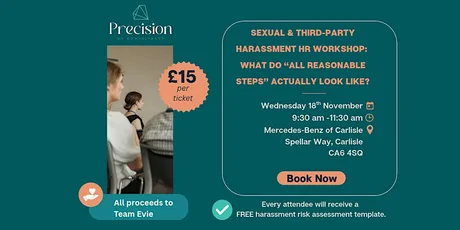
Wed, 18 Nov 2026
Sexual & Third-Party Harassment HR Workshop
Mercedes-Benz of Carlisle
£15
Sun, 10 Jan 2027
NAV4: Mountain Skills for Runners
Tue, 10 Nov 2026
Master of Public Health (MPH) Online Event
Sun, 1 Nov 2026
BL Eycott Hill Galoppen
Tue, 3 Nov 2026
First Aid at Work (FAW) Course - Carlisle
Carlisle Race Course
£430.80
Thu, 5 Nov 2026
Crafternooners at Carlisle Library
Carlisle Library
Free Entry
More at Smiths at Gretna Green Hotel
View all →
Frequently asked questions
Advanced Canva - for Marketing Assets and Reels: Build. Brand. Batch. takes place on Wednesday, 3 February 2027 at 17:00.
Advanced Canva - for Marketing Assets and Reels: Build. Brand. Batch. is held at Smiths at Gretna Green Hotel in Carlisle (Gretna Green, Gretna, DG16 5EA).
Entry to Advanced Canva - for Marketing Assets and Reels: Build. Brand. Batch. is free.
Yes — hotels within walking distance of Smiths at Gretna Green Hotel can be compared using the accommodation search further down this page.
Tickets for Advanced Canva - for Marketing Assets and Reels: Build. Brand. Batch. can be booked via Eventbrite using the "Check Tickets & Live Prices" button on this page, which opens the official booking site in a new tab.
Editorial summaryAbout this event
Advanced Canva - for Marketing Assets and Reels: Build. Brand. Batch. will be conducted at Smiths at Gretna Green Hotel on 3 February 2027. This community event focuses on enhancing Canva skills and is free to attend.
This summary was automatically generated from event data sourced from official ticketing providers.
Take your Canva skills further. Create branded assets, short-form video and a content system that saves you hours.
This event is for pre-start and early-stage business owners in the South of Scotland who are already using Canva regularly and want to go further — particularly those who feel their content looks inconsistent, who are spending too much time creating designs from scratch, or who want to start creating short-form video and reels but don't know where to begin.
To get the most from this session, attendees should:
· Be using Canva already — this is not a beginners' session
· Have attended an Introduction to Canva session, or be confident navigating the editor, using templates and setting up a basic Brand Kit
· Ideally have a Canva Pro account — several of the tools covered, including AI features, content scheduling, bulk create and the full Brand Kit, are Pro-only. Attendees on a free account are still welcome but will have limited access to some exercises. A Pro account costs approximately £100 per year and is available as a free trial.
Advanced Canva for Marketing Assets and Reels is a hands-on, practical workshop for small business owners who are already using Canva and want to use it properly — faster, more consistently and with far more impact.
If you've been using Canva for a while but still find yourself starting from scratch every time, spending too long on designs that don't quite look right, or avoiding video because you're not sure where to start — this session is built for you.
In three hours you'll move beyond the basics and into the tools and techniques that genuinely save time and lift the quality of everything you produce. This is a laptop-on, sleeves-up working session. You'll leave with things made, not just ideas noted.
What we'll cover:
Setting up your full Pro Brand Kit — unlimited colours, custom fonts, multiple logos — so everything you create is on-brand from the start
Magic Studio — Canva's AI tools including Magic Edit, Magic Eraser, Magic Expand and Magic Design, and how to use them practically in your business
Creating a reel or short-form video from scratch — vertical format, text overlays, captions, transitions and exporting correctly for Instagram and other platforms
Content batching — how to duplicate and adapt templates to create a month of consistent content in a single session
Bulk Create — how to use a simple spreadsheet to auto-generate multiple designs from one template
Magic Switch — resizing and repurposing one design across multiple platforms in seconds
Scheduling directly from Canva — connecting your social accounts and publishing without leaving the platform
Organising your workspace — folders, Brand Templates and sharing designs with a collaborator
What you'll leave with:
A fully set up or refreshed Pro Brand Kit
At least one branded marketing asset ready to use
A short-form video or reel created in the session
A reusable content template system
Practical knowledge of Canva's AI tools and how they save time
What you need to bring:
A laptop or tablet with Canva open and logged in. A Canva Pro account is strongly recommended — several of the tools covered in this session are Pro-only including Magic Studio, Bulk Create, content scheduling and the full Brand Kit. If you don't yet have Pro, Canva offers a free trial. A free account is welcome but you will have limited access to some exercises.
You should be comfortable using Canva already — this session builds directly on the Introduction to Canva content. If you haven't attended an intro session or used Canva regularly, this workshop may feel fast-paced.
It is also suitable for anyone who has been in business a while but feels their visual content has drifted, looks inconsistent across platforms, or isn't saving them the time it should.
Description supplied by the event organiser.
StayStaying overnight?
Hotels within walking distance of Smiths at Gretna Green Hotel. Searching near Gretna Green, Gretna, DG16 5EA; check-in Wednesday, 3 February 2027.
Ad · Stay22 affiliate link
WhereSmiths at Gretna Green Hotel
Gretna Green, Gretna, DG16 5EA
Before you goFrequently asked questions
When is Advanced Canva - for Marketing Assets and Reels: Build. Brand. Batch.?
Advanced Canva - for Marketing Assets and Reels: Build. Brand. Batch. takes place on Wednesday, 3 February 2027 at 17:00.
Where is Advanced Canva - for Marketing Assets and Reels: Build. Brand. Batch. taking place?
Advanced Canva - for Marketing Assets and Reels: Build. Brand. Batch. is held at Smiths at Gretna Green Hotel in Carlisle (Gretna Green, Gretna, DG16 5EA).
How much are tickets for Advanced Canva - for Marketing Assets and Reels: Build. Brand. Batch.?
Entry to Advanced Canva - for Marketing Assets and Reels: Build. Brand. Batch. is free.
Is there anywhere to stay near Advanced Canva - for Marketing Assets and Reels: Build. Brand. Batch.?
Yes — hotels within walking distance of Smiths at Gretna Green Hotel can be compared using the accommodation search further down this page.
How do I get tickets for Advanced Canva - for Marketing Assets and Reels: Build. Brand. Batch.?
Tickets for Advanced Canva - for Marketing Assets and Reels: Build. Brand. Batch. can be booked via Eventbrite using the "Check Tickets & Live Prices" button on this page, which opens the official booking site in a new tab.
Price
Free Entry
Date
Time
Venue
Gretna Green, Gretna, DG16 5EA
Secure checkout on Eventbrite — opens in a new tab
Ask AI: is it for me?
EventsList lists 218,000+ events across the UK. Tickets are sold by the venue or its authorised sellers, never by us.
Same venueMore at Smiths at Gretna Green Hotel
All at this venue
Not this one?Similar events in Carlisle
View all
More things to do in Carlisle
- Gold NNAS SILVA Navigation - ConistonFriday, 13 November 2026
- Become a Weaver with Jan Beadle 2 Day CourseSaturday, 21 November 2026
- Introduction to Two Colour Reduction Lino Printing With Liz JonesSunday, 7 February 2027
- NAV4: Mountain Skills for RunnersSunday, 14 February 2027
- Bespoke Dream CatchersSaturday, 9 January 2027
- Running with Poles for Trail & Ultra'sSaturday, 9 January 2027
- NAV4: Night Running & Navigation SkillsSaturday, 13 March 2027
- Jigsaw Lino Printing With Liz JonesSaturday, 13 March 2027
- Digital Confidence Sessions at Carlisle LibraryFriday, 4 December 2026
- Gold NNAS SILVA Navigation - UllswaterMonday, 30 November 2026
- Connected Conversations: Health Creation in CumbriaWednesday, 25 November 2026
- Warwick on Eden Quiz Night at the Memorial HallFriday, 20 November 2026
- Christmas Wreath Making WorkshopThursday, 19 November 2026
- Primary PE Subject Leaders WorkshopWednesday, 18 November 2026